Google Ads
What your customers’ Google searches reveal about wasted advertising
If your ads bring calls for work you don’t offer, I want to see the searches behind them. Keywords tell me what we intended to target, while search terms help show what people actually searched. I’ll explain how I use that difference, together with your team’s enquiry feedback, to spot wasted spend and useful opportunities. You’ll know what to ask about without having to manage the account yourself.

Published · Updated

Understand the difference between the keyword and the search
A keyword is part of the campaign’s targeting. A search term is the phrase a person entered before an ad appeared or received a click. Google’s search terms report helps advertisers inspect that relationship. For you, the practical question is straightforward: are people arriving with the problem you are equipped and willing to solve?
Imagine a business that installs residential air conditioning. Searches about installation, repairs, training courses and spare parts may all contain similar words, yet represent very different needs. The account can look relevant at a glance because the language overlaps. The enquiry team experiences the difference when callers ask for services the company does not provide. Search review connects the advertising vocabulary to those real conversations.
The purpose is not to reject every unusual phrase. People describe problems in their own language, often without knowing the technical name of the service. A good review distinguishes unfamiliar wording from unsuitable intent. That requires input from the business, not simply a long list of terms generated without understanding how customers actually ask for help.
Build a simple intent classification
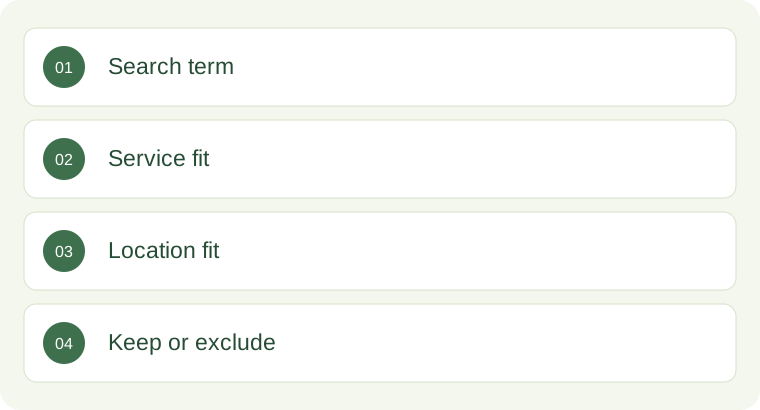
Start by sorting observed searches into a few useful categories. A practical set is: directly relevant service demand, potentially relevant demand needing context, clearly unrelated demand and research that does not fit the current campaign objective. Keep the classification small enough that you and your campaign manager can discuss it without a glossary. The labels should support decisions rather than become an elaborate reporting exercise.
For a roofing business, a search about roof replacement may be directly relevant. A search about roof leaks may be relevant only if repairs are offered. A search about roofing apprenticeships is probably unrelated to a campaign for customer enquiries. A search about the difference between roof materials may be useful educational demand, but it may not suit a limited campaign designed around inspection bookings this month.
Write down the reason for a classification. “Not relevant” is less helpful than “we do not sell materials directly” or “this campaign covers installations, not emergency repairs”. Reasons allow a future manager to understand the decision. They also make it easier to revisit the classification if the business adds a service, changes its area or decides to build a separate educational campaign later.
Use negative keywords carefully
A negative keyword can help prevent ads from showing for unwanted searches. It is a useful control, but it should reflect a business decision rather than an emotional reaction to one poor enquiry. The wrong exclusion can remove legitimate demand along with the unwanted traffic. Google’s guidance on negative keywords and search-term review should inform implementation, including the effects of the selected match type.
Consider a clinic that does not offer free treatment. It might be tempting to exclude every search containing the word “free”. However, people may search for a particular consultation offer or ask whether an initial discussion has a fee. The right decision depends on the actual service and messaging. The campaign manager should investigate the phrase, the landing page and the resulting conversation before applying a broad exclusion.
Keep exclusions organised. Separate terms that are unsuitable for the whole business from terms unsuitable only for a particular campaign. A company may reject job-seeker traffic everywhere while still needing different service exclusions in installation and maintenance campaigns. A documented structure helps avoid accidental conflicts when campaigns expand. It also makes an audit possible without relying on someone remembering why each term was added months earlier.
Listen to the enquiry team before judging intent
Search data becomes more valuable when connected to call notes and CRM outcomes. A phrase that appears promising may repeatedly produce people outside your service area. Another may seem broad but bring well-qualified customers who use everyday language. The team answering calls can explain these patterns, provided their feedback is specific enough to use.
Ask reception or sales staff to record a short suitability reason. Examples include wrong service, outside area, existing customer, supplier enquiry, employment enquiry or suitable opportunity. Avoid asking them to write an essay after every call. A consistent field and a useful note can be enough to identify repeated issues. The point is to learn where the mismatch occurs, not to create another administrative burden.
Do not treat every unclosed enquiry as bad traffic. The business may have responded late, lacked capacity or quoted a project that was not competitive. Search intent, lead suitability and sales outcome are separate questions. If they are collapsed into one “bad lead” label, the campaign manager may exclude the very searches the business needs while the real problem remains in the response or delivery process.
Look for mismatches between the ad and the page
Sometimes the search is relevant but the message creates the wrong expectation. An ad may suggest fast availability while the calendar is full. A service page may combine several offers without explaining what is included. A person may call because the wording implies a repair service when the business only wants replacement installations. The search report identifies the entry point, but the problem may be further along the journey.
Review a few actual paths from search to page to conversation. Read the ad as a customer would. Open the page on a phone. Check the headline, service area, call button and enquiry form. Then compare those promises with the staff member’s explanation. This exercise often reveals details that do not appear in a campaign summary, such as an old offer, unclear pricing language or an irrelevant form option.
Fix the promise rather than trying to qualify away every misunderstanding. Better exclusions help with unwanted intent. Clearer copy helps relevant people understand the service. Both may be needed. A useful change log records which problem was identified, what changed and what the team expects to observe afterwards. That makes the next review a test of a decision rather than another round of general opinions.
Review patterns with enough context
One search and one enquiry rarely explain a campaign. Look for repeated themes over a meaningful period, while considering how quickly customers normally decide. A high-value service with a long quotation process needs a different review rhythm from a simple appointment enquiry. You should know which observations are early signals and which are supported by a larger set of completed outcomes.
Use the same definitions when comparing groups. If one campaign’s enquiries are carefully qualified and another’s are mostly unclassified, the difference may reflect record quality rather than traffic quality. Check missing outcomes, duplicate records and inconsistent service labels before declaring a winner. A tidy report is not necessarily an accurate report, especially when it hides the amount of information that has not yet been collected.
Include spend in the discussion, but avoid judging every term by immediate revenue alone. Some terms may have too little data to support a firm conclusion. Others may reveal an obvious service mismatch even before a large budget has been spent. The review should combine commercial judgement, the observed search, the customer’s request and the reliability of the available records. Uncertainty should be written down, not covered with confident language.
Turn useful searches into better assets
Search review is not only an exercise in exclusion. It can show how customers describe a valuable service, which concerns they raise and which locations matter. Those observations can improve ad copy, landing-page headings, frequently asked questions and the reception script. A phrase that appears repeatedly in suitable enquiries may deserve a clearer answer on the page.
Suppose potential bathroom-renovation clients repeatedly ask whether the business handles small rooms. If the company does, the page could show a relevant project type and explain the consultation process. If it does not, the page should make the scope clear before someone spends time enquiring. Either decision can improve the experience. The goal is to help the right person recognise the right service, rather than attracting every possible click.
Keep the language natural. Do not force a page to repeat every search phrase or create dozens of near-identical pages simply because a report contains many wording variations. Choose the underlying customer question and answer it well. The campaign can provide a steady source of customer language, while the website remains a clear explanation of the business instead of a collection of awkward keyword combinations.
Create a practical owner review and next action
A short review can answer five questions: what relevant demand appeared, what unsuitable demand appeared, what the enquiry team observed, what was changed and what will be checked next. You should be able to understand those answers without reviewing every row in the advertising account. The detailed report remains available when a specific decision needs closer inspection.
Assign responsibilities clearly. The campaign manager reviews targeting and exclusions. The business confirms which services and areas are acceptable. The website team corrects unclear promises. Reception records the suitability and next step. This shared process avoids the familiar pattern where advertising is blamed for every lost opportunity while the people who could explain the outcome are never asked for structured feedback.
We connect Google Ads management with service pages, call tracking, VentaOne CRM and agreed follow-up. That allows search-term decisions to be informed by what people actually need and what becomes useful business. If your current report shows clicks but cannot explain why enquiries are unsuitable, a search-and-enquiry review is a practical starting point. We can help turn those observations into clearer targeting, clearer pages and a more useful daily view of the campaign.
Let’s put this to work in your business
Bring a few examples of unsuitable enquiries and the services you actually want to sell. I’ll compare that feedback with the available search-term data and your landing page. We can then decide whether to refine targeting, exclusions or the message. The goal is useful enquiries your team can serve, with a clear explanation of what we changed and what we’ll review next.
KEEP READING

How to set a Google Ads budget your business can actually support
If you ask me what to spend on Google Ads, I won’t start with what your competitor spends. I want to understand which work you can profitably deliver, how many new customers you can take and what happens after an enquiry arrives.

What a well-managed first 90 days of Google Ads should look like
Before we launch your Google Ads, I want you to know what we’re trying to learn and when we’ll review it. The first 90 days are an initial testing and review period, not a promise of a fixed result.

How to choose the right service area for local Google Ads
More suburbs on your campaign map don’t automatically mean better business. I want your ads to reach places your team can actually serve.